Break long documents into usable takeaways instead of one dense block of text.
Source workspace
AI PDF Summarizer
Upload a PDF, generate a structured summary, and keep the result ready for essays, presentations, quizzes, and citations.
Save summaries into projects and use them later inside the assignment workflow.
Move from a document summary to quizzes, essays, slides, and citations in one workspace.
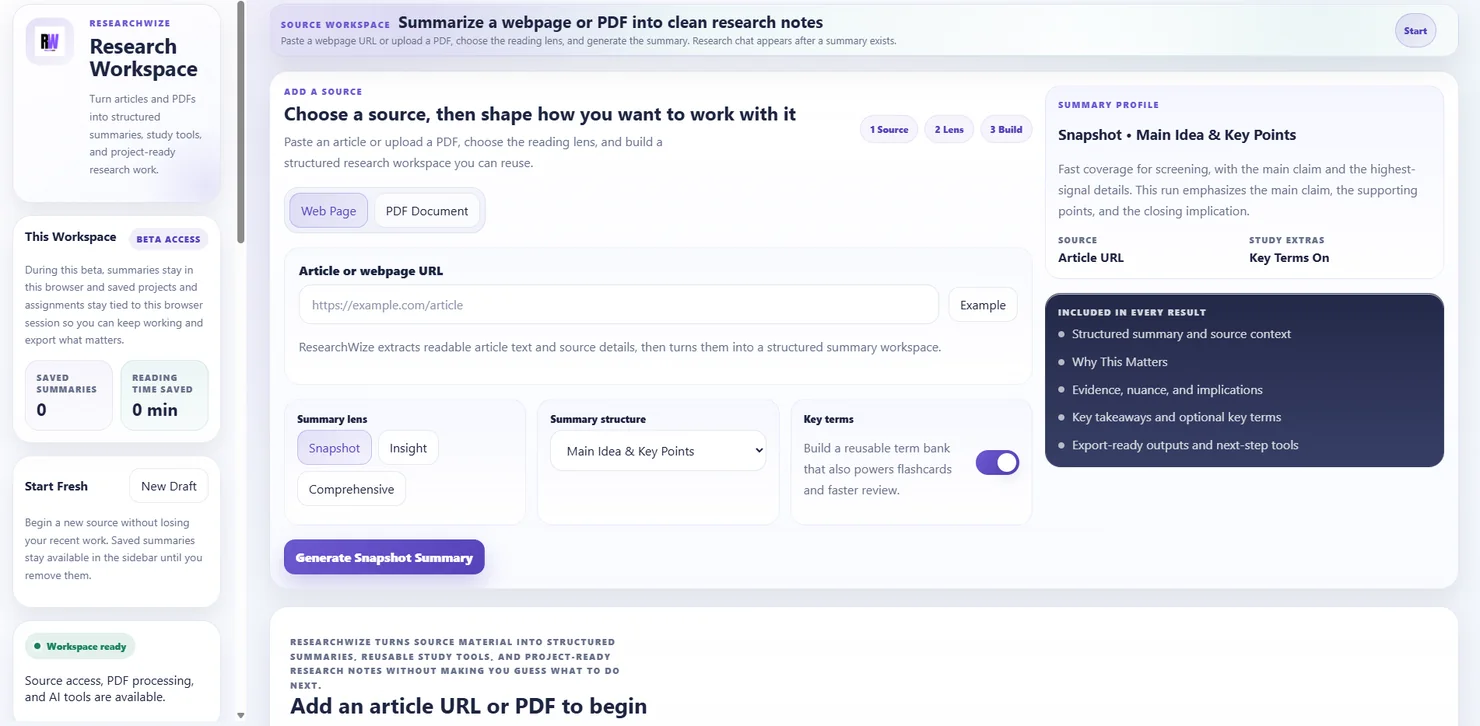
One connected workspaceKeep sources, assignments, and outputs together.
Use the right starting pointBegin with a source or start directly from the assignment prompt.
Turn long PDFs into work you can actually use
ResearchWize is useful when the summary needs to feed directly into the next step, not just sit in a disconnected text box.
- Clear key ideas
- Reusable project material
- Better downstream outputs
Why students and researchers use it
- Works with PDFs as part of a broader research workflow
- Keeps summaries, projects, and assignments connected
- Useful when you need both understanding and finished outputs
Key outcomes
Turn long PDFs into work you can actually use
ResearchWize is useful when the summary needs to feed directly into the next step, not just sit in a disconnected text box.
Clear key ideas
Pull out the main points, evidence, and context from a long document.
Reusable project material
Save the summary into a project so it is ready when you write later.
Better downstream outputs
Use the summary to generate study tools, citations, outlines, and assignment drafts.
How it works
From PDF to finished work
The PDF summary is only the start. The rest of the workflow happens in the same place.
Upload the PDF
Start with a report, chapter, paper, handout, or reading packet.
Generate the summary
ResearchWize organizes the content into structured notes.
Save it to a project
Keep the material ready for later writing, review, or export.
Use it downstream
Turn the summary into essays, slides, citations, flashcards, or quizzes.
FAQ
Common questions
Answers about how the workflow works in practice.
Yes. Saved summaries can be reused in projects and assignment workflows.
No. The stronger use case is keeping the summary connected to the rest of your work.
The web app is the main workspace. The extension is a companion when you want faster capture while browsing.
Ready to get started?
Summarize your first PDF in the web app
Open the web app, drop in a source or assignment prompt, and finish the work in one place.