Capture the objective, methods, findings, limitations, and context in notes you can actually scan later.
Research workflow
ResearchWize for Researchers
Summarize papers, organize findings, build citation-ready notes, and create presentation materials without splitting the work across five different tools and a prayer.
Store related papers, notes, and drafts in one place instead of scattering them across folders and tabs.
Create outlines, citations, slides, and review notes directly from saved source work.
Start with the paper
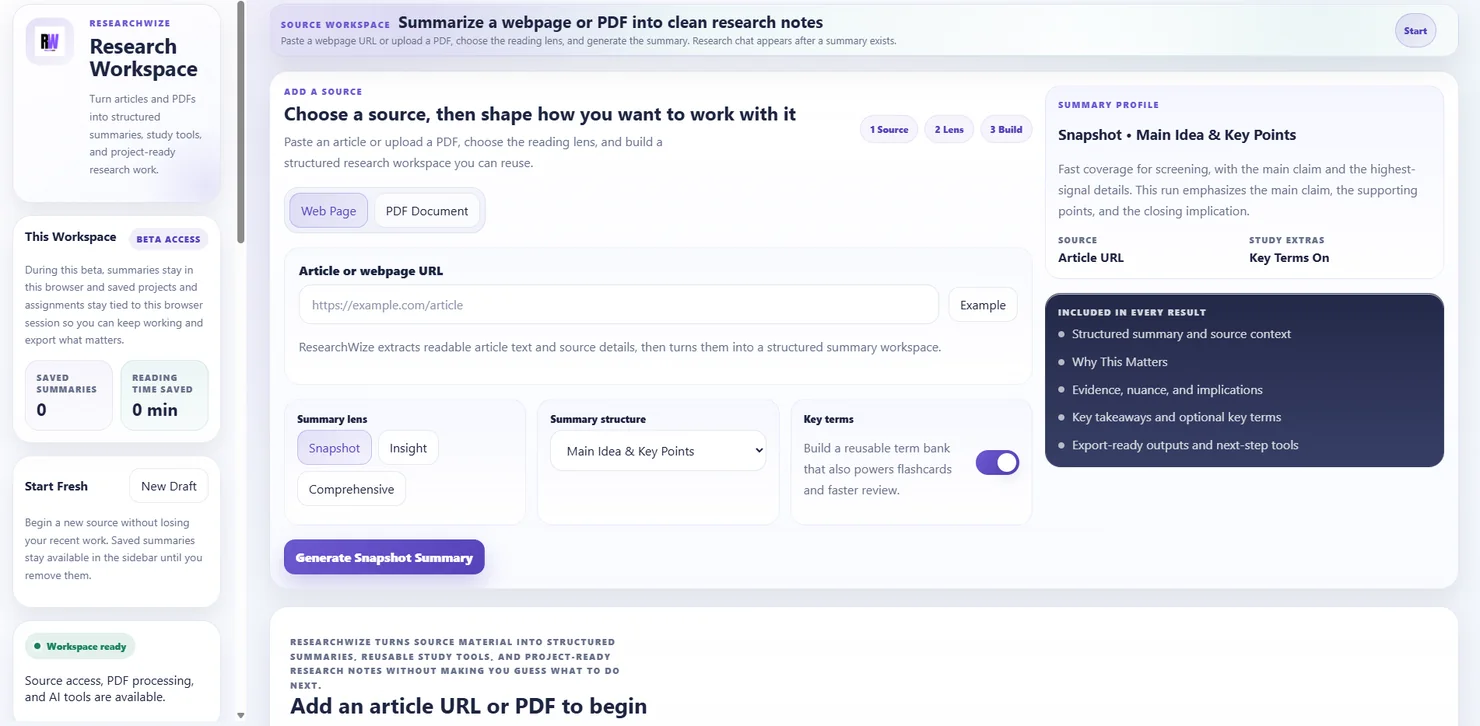
Upload a PDF or add a source URL to generate structured notes for your review workflow.
Turn reading into reusable material
Projects help keep related sources, notes, and outputs tied to the same topic.
ResearchWize is built for the step after collecting papers.
Finding sources is one problem. Turning them into usable notes, comparative summaries, presentations, and citation-ready material is another. ResearchWize is strongest in that second stage, where the reading has to become something reusable.
Use it for literature review prep
Summarize papers into organized notes so the important findings, methods, and caveats are easier to compare later.
Use it for lab and meeting prep
Turn saved source material into slide-ready points, discussion prompts, and project notes you can actually present from.
How researchers use it
From paper pile to usable research material
The workflow stays practical: summarize, organize, build, and export what you need for the next step.
Add the paper or article
Upload a PDF or paste a webpage to bring the source into the workspace.
Generate structured notes
Capture the core claim, methodology, findings, limitations, and context in a cleaner format.
Save the material into a project
Keep related summaries and notes together so the review process is easier to revisit.
Create citations, outlines, or slides
Use the saved material to build literature-review notes, meeting decks, and citation-ready outputs.
What you can build
Useful outputs for research work
The goal is not novelty. It is getting from reading to reusable material with less drag.
Summarize journal PDFs
Generate notes that are easier to scan than a wall of copied text from the original source.
Capture methods and findings
Keep the parts that matter for comparison, discussion, and review work.
Organize papers into projects
Group related sources by topic, course, thesis area, or active review stream.
Export citations and references
Build citation-ready outputs from the sources you already summarized.
Create presentation material
Turn research notes into slides and talking points for meetings, seminars, or conferences.
Reuse notes for later writing
Saved summaries give you a cleaner base for literature reviews, proposals, and ongoing project notes.
FAQ
Questions researchers will ask
Yes. You can upload PDFs directly into the source workflow and generate structured notes from them.
Yes. It is especially useful for turning dense papers into reusable notes you can group into projects and compare later.
Yes. ResearchWize can generate citation-ready outputs from the same sources you already saved in the workspace.
Use the web app as the main workspace. Use the extension when you want to capture useful article pages while browsing and send them into your projects.
Ready to get started?
Open the web app and start with a paper
Bring in a PDF or article, summarize it, and keep the useful parts tied to your next research step.