Turn summarized sources into talking points, slides, and supporting notes.
Presentation builder
AI Presentation Maker
Go from research notes or assignment instructions to a structured presentation with notes, support, and reusable project material.
Paste the instructions first when the deliverable is already defined.
Use the same project to hold your notes, assignment work, and final presentation.
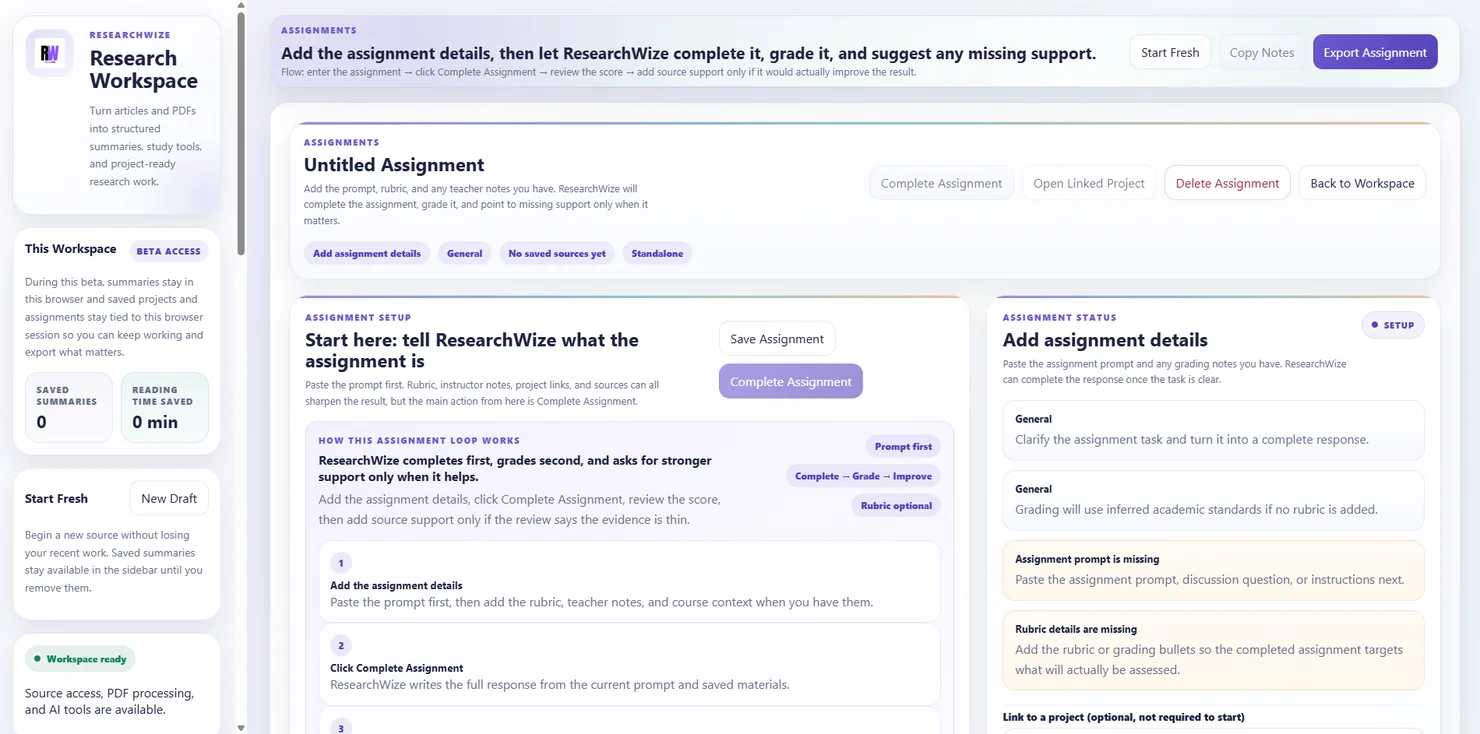
One connected workspaceKeep sources, assignments, and outputs together.
Use the right starting pointBegin with a source or start directly from the assignment prompt.
Build slides without starting from zero
ResearchWize helps students and teachers move from source material to a usable deck faster, with notes that stay grounded in the content.
- Slide structure
- Speaker notes
- Project continuity
Why the web app works well for presentations
- It keeps source material and slide output connected
- You can start with assignment instructions instead of guessing the brief
- The same workspace supports notes, writing, and study outputs too
Key outcomes
Build slides without starting from zero
ResearchWize helps students and teachers move from source material to a usable deck faster, with notes that stay grounded in the content.
Slide structure
Create a deck outline that follows the topic instead of random filler slides.
Speaker notes
Keep your supporting points close to the slide content for easier presenting.
Project continuity
Use the same saved material to write, present, and study later.
How it works
From source notes to deck
The workflow stays practical whether you begin with research or with the assignment prompt.
Start with research or the prompt
Choose the path that matches the work you already have.
Build a summary or save a project
Keep the useful content ready for the presentation.
Generate the deck
Turn the material into a structured set of slides and notes.
Refine and export
Improve the structure, tighten the support, and export the result.
FAQ
Common questions
Answers about how the workflow works in practice.
Yes. You can begin with the assignment instructions and add source support later.
Yes. Saved summaries and project notes can feed into the presentation workflow.
Use it to capture webpages quickly, then return to the web app when you want to build and export the full deck.
Ready to get started?
Start your first presentation in seconds
Open the web app, drop in a source or assignment prompt, and finish the work in one place.