Build questions from webpages, PDFs, and saved notes instead of generic prompts.
Study workflow
AI Quiz Maker Extension
Turn source material into quizzes that stay connected to the same summaries, projects, and study notes.
Pair quizzes with flashcards, summaries, and project material.
Capture sources quickly in the browser, then finish the study workflow inside the main workspace.
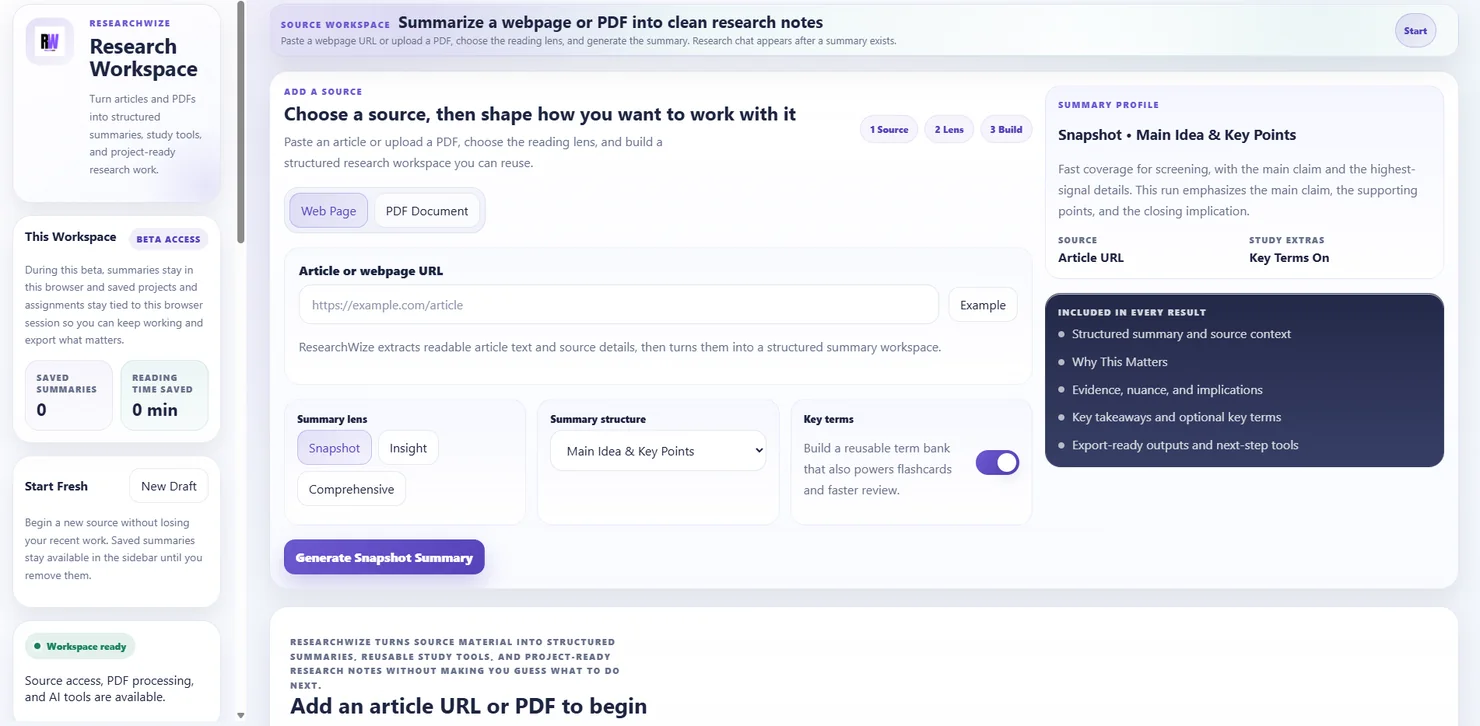
One connected workspaceKeep sources, assignments, and outputs together.
Use the right starting pointBegin with a source or start directly from the assignment prompt.
Build practice questions without extra busywork
ResearchWize helps students go from reading to review without bouncing between separate study tools.
- Reusable question sets
- Better test prep
- Connected projects
Why students keep using it
- The same source can become summaries, quizzes, and flashcards
- You can start in the browser and finish in the web app
- Projects help you keep class material organized instead of scattered
Key outcomes
Build practice questions without extra busywork
ResearchWize helps students go from reading to review without bouncing between separate study tools.
Reusable question sets
Create quizzes you can revisit after the original summary is done.
Better test prep
Use the same source material to make both quizzes and flashcards.
Connected projects
Keep the study output tied to the same research notes and assignments.
How it works
From reading to review
The strongest version of the workflow keeps your sources, quizzes, and later writing in the same system.
Capture the source
Start with a page, PDF, or summary you already saved.
Generate the summary
Pull out the key ideas and supporting details.
Create the quiz
Build practice questions from the summary and project context.
Keep refining
Add more sources or convert the same material into flashcards and notes.
FAQ
Common questions
Answers about how the workflow works in practice.
No. The web app can generate study tools too. The extension is just a faster capture point while browsing.
Yes. ResearchWize can turn the same source material into multiple study formats.
Yes. The project workflow is designed to keep related material together.
Ready to get started?
Create your first quiz in the web app
Open the web app, drop in a source or assignment prompt, and finish the work in one place.