Start from webpages and PDFs you already saved and summarized.
Source to citation
Citation & Works Cited Generator
ResearchWize helps you move from summarized source material to cleaner citations and reference support without leaving the same workspace.
Your notes and supporting details stay connected to the same source.
Move from source summary to citation support and final writing in one place.
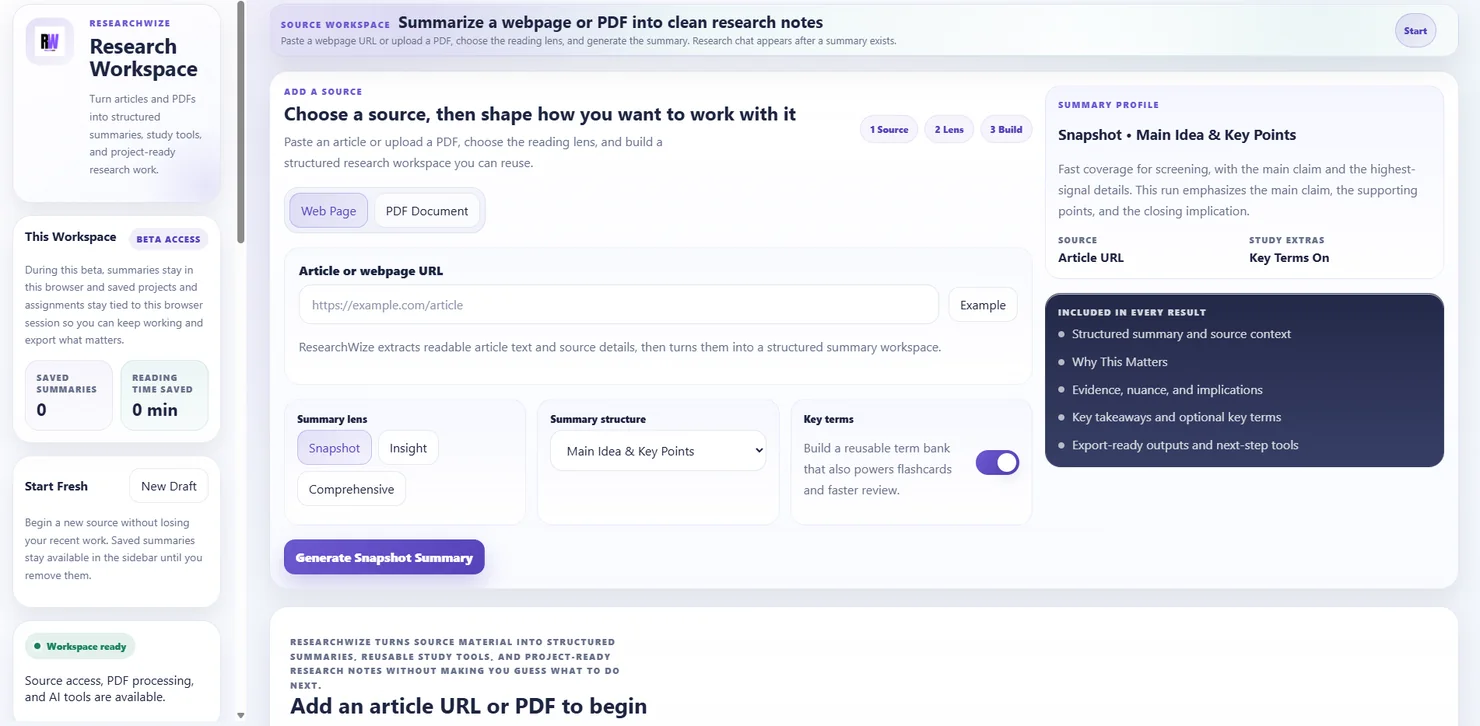
One connected workspaceKeep sources, assignments, and outputs together.
Use the right starting pointBegin with a source or start directly from the assignment prompt.
Keep citations tied to the source material
The useful part is not only producing a citation. It is keeping the notes, context, and assignment work connected to the same source record.
- Source-linked references
- Cleaner works-cited support
- Less backtracking
Why this helps students
- The same source can support both understanding and citation work
- Projects make it easier to keep references organized
- The assignment workflow stays connected to the original material
Key outcomes
Keep citations tied to the source material
The useful part is not only producing a citation. It is keeping the notes, context, and assignment work connected to the same source record.
Source-linked references
Build references from material that already lives inside your project.
Cleaner works-cited support
Keep titles, notes, and source context nearby while you write.
Less backtracking
Use the same workspace for summarizing, writing, and citing.
How it works
From source capture to reference support
ResearchWize works best when the summary and the assignment are already part of the same project.
Save the source
Start with a webpage or PDF and generate the summary.
Keep the notes organized
Store the source material inside a project.
Generate citation support
Use the saved source to build cleaner references and works-cited material.
Finish the assignment
Write or revise with the source notes and citation support close by.
FAQ
Common questions
Answers about how the workflow works in practice.
No. Citations are part of a broader workflow that includes summaries, projects, and assignments.
Yes. Both source types fit the same workflow.
Use it when you want faster source capture in the browser. Use the web app when you want to organize and finish the work.
Ready to get started?
Build cleaner citation support in one workspace
Open the web app, drop in a source or assignment prompt, and finish the work in one place.