Summarize documents from the browser with less setup.
PDF workflow
Summarize PDFs in Chrome
Use the browser companion to capture the document fast, then use the web app to keep the summary connected to the rest of your work.
Keep the PDF notes ready for later essays, quizzes, and presentations.
The main workspace handles organization, assignments, and exports.
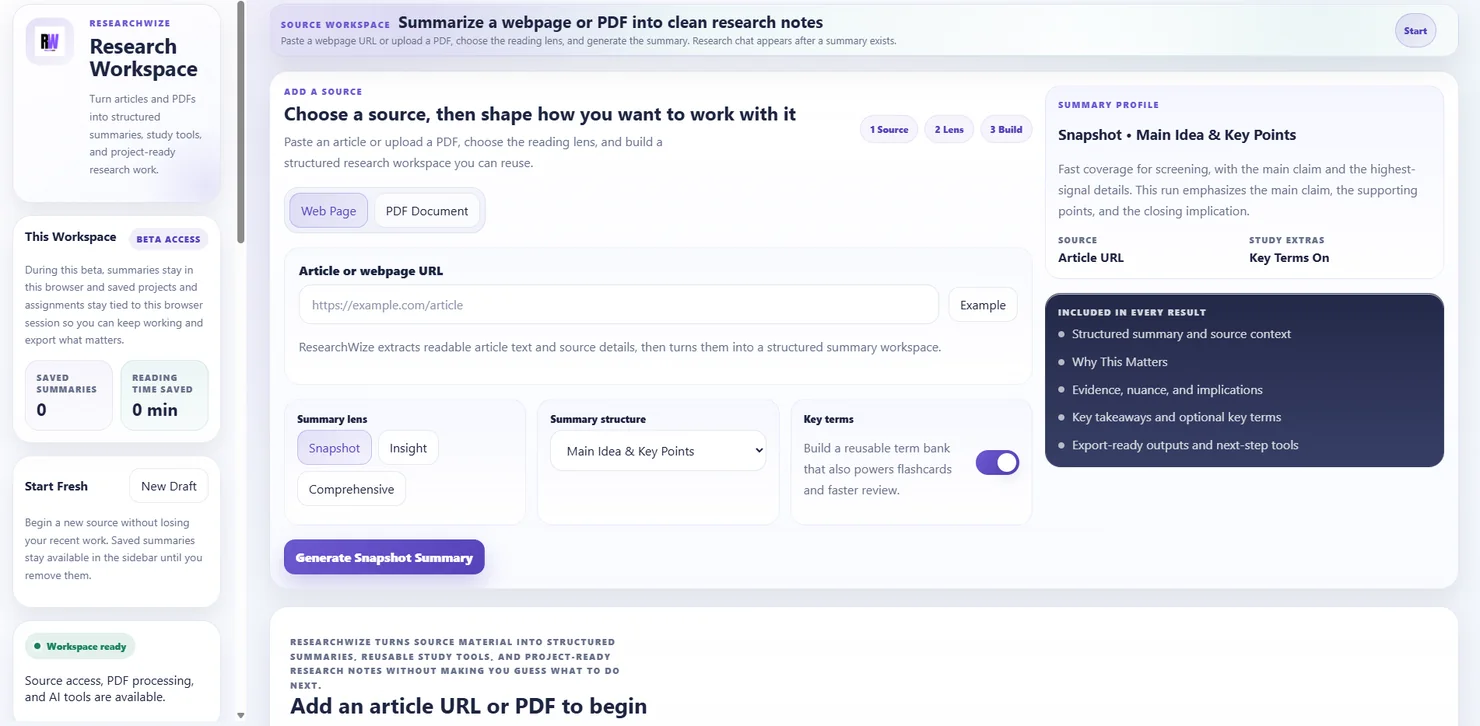
One connected workspaceKeep sources, assignments, and outputs together.
Use the right starting pointBegin with a source or start directly from the assignment prompt.
A PDF summarizer is better when it fits the whole workflow
ResearchWize helps you move from document understanding to finished work without dropping the source notes along the way.
- Readable source notes
- Project continuity
- More outputs from one source
Why people use this setup
- It is quick enough for everyday reading
- It is organized enough for bigger projects and assignments
- The extension supports the workflow instead of replacing the main workspace
Key outcomes
A PDF summarizer is better when it fits the whole workflow
ResearchWize helps you move from document understanding to finished work without dropping the source notes along the way.
Readable source notes
Turn long PDFs into structured takeaways.
Project continuity
Use the same summary later inside a project.
More outputs from one source
Generate essays, slides, quizzes, flashcards, and citations from the same PDF work.
How it works
How the Chrome PDF flow works
Use the browser when you need speed. Use the workspace when you need organization and finished outputs.
Open the PDF source
Start in Chrome or inside the web app.
Generate the summary
Capture the key ideas and useful details.
Save it into a project
Keep the notes available for later work.
Build from the same source
Use the summary for assignments, study tools, and exports.
FAQ
Common questions
Answers about how the workflow works in practice.
Yes. The web app can handle PDF summaries too.
Use whichever is more convenient to start. The web app is still the main workspace for the full workflow.
Yes. Saving it into a project is one of the strongest parts of the workflow.
Ready to get started?
Try your first PDF summary in the workspace
Open the web app, drop in a source or assignment prompt, and finish the work in one place.