Turn long pages into usable notes without losing the key ideas.
Source workflow
Webpage and Article Summarizer
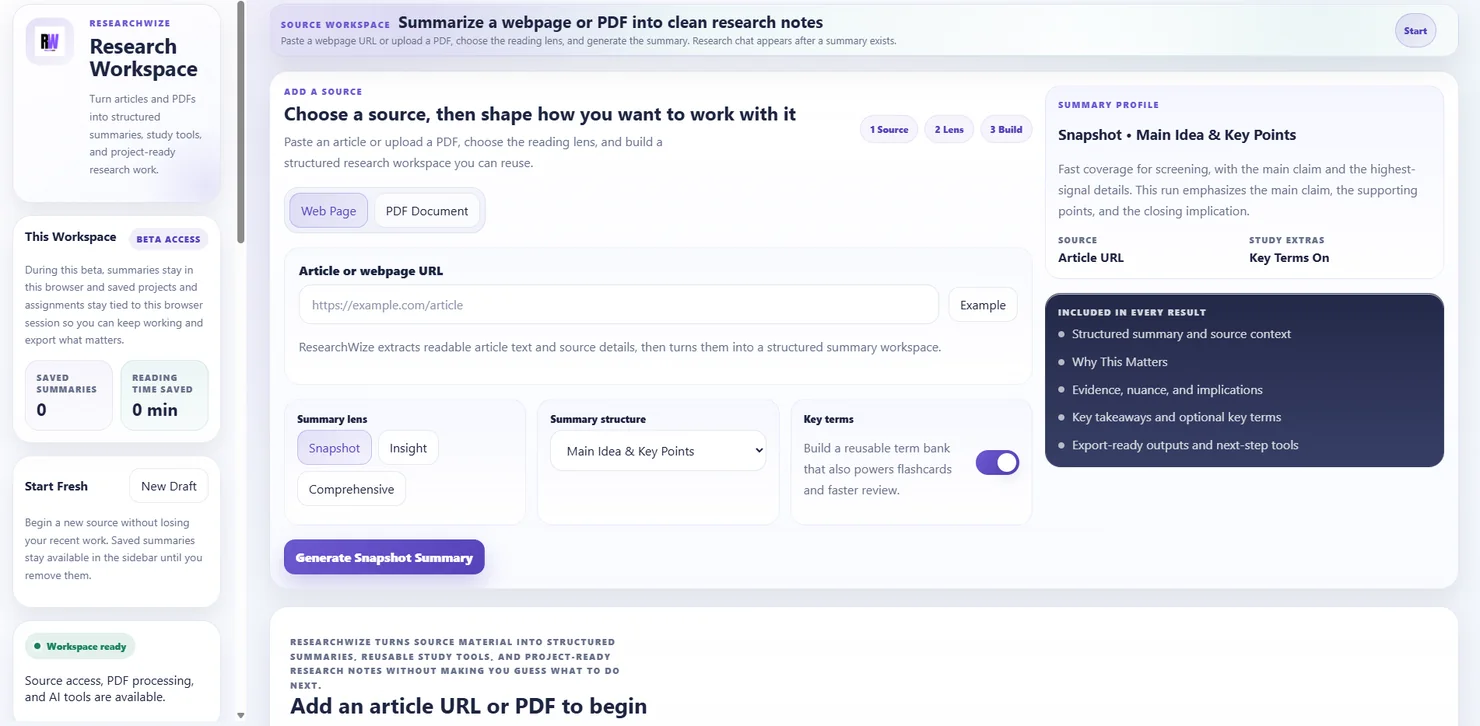
Paste a webpage, generate a structured summary, and keep the notes ready for projects, writing, study tools, and exports.
Save the source summary so it is ready for later writing and review.
Use the same article work for essays, slides, citations, quizzes, and flashcards.
One connected workspaceKeep sources, assignments, and outputs together.
Use the right starting pointBegin with a source or start directly from the assignment prompt.
Summaries that lead somewhere useful
ResearchWize is strongest when the webpage summary stays connected to the rest of the work instead of disappearing after one session.
- Key ideas and evidence
- Reusable source notes
- More outputs from the same source
Why this matters
- Many assignments begin with webpage reading, not just PDFs
- Projects help you combine multiple sources in one place
- The same source can support both writing and studying
Key outcomes
Summaries that lead somewhere useful
ResearchWize is strongest when the webpage summary stays connected to the rest of the work instead of disappearing after one session.
Key ideas and evidence
Pull out what matters from long articles and web sources.
Reusable source notes
Keep article summaries organized inside projects.
More outputs from the same source
Use the summary later inside assignments and study workflows.
How it works
How the article workflow works
Start from the page, save the useful notes, then build from them inside the main workspace.
Paste the webpage
Drop in the URL of the source you are using.
Generate the summary
Organize the page into structured notes.
Save it into a project
Keep the source material ready for later work.
Turn it into outputs
Use it for essays, slides, citations, flashcards, or quizzes.
FAQ
Common questions
Answers about how the workflow works in practice.
Yes. Projects are useful when you want to keep several source summaries together.
Yes. That is one of the main benefits of the workflow.
Use it when you want faster capture while browsing. The web app is still the main workspace.
Ready to get started?
Summarize your first article in the web app
Open the web app, drop in a source or assignment prompt, and finish the work in one place.